

Pangeanic
Pangeanic produces custom AI models so you can create your own Generative AI (GenAI) with no data transfer to third parties.
Before setting up
Section titled “Before setting up”Before you can connect you need to make sure that:
- You must have API key for Pangeanic services
If you don’t have an API key, you can contact Pangeanic.
Connecting
Section titled “Connecting”- Navigate to Apps, and identify the Pangeanic app. You can use search to find it.
- Click Add Connection.
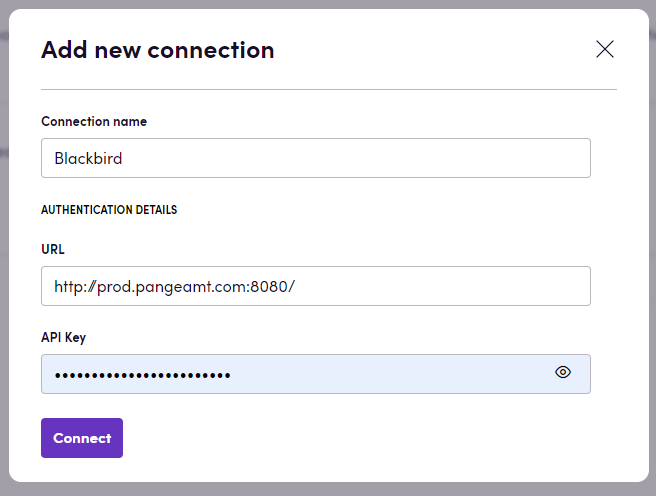
- Name your connection for future reference, e.g., ‘My client’.
- In the API Key field, input your API Key.
- In the URL field, input URL of your api. For example: http://prod.pangeamt.com:8080/
- Click Connect.
- Confirm that the connection has appeared and the status is Connected.
Actions
Section titled “Actions”-
Process text: Sends text to be processed and translated as a single string
-
Process text as array: Sends text to be processed and translated as an array of strings
In the process text actions, you have the option to specify anonymization settings, including sensitivity, type, and tags.
-
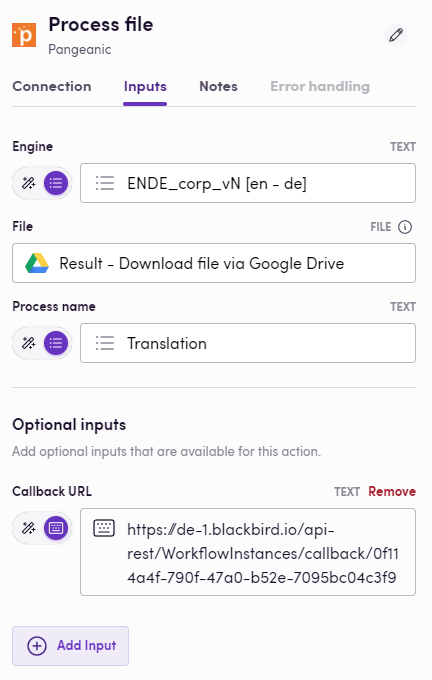
Process file: Sends file to the API for processing and translation, and then retrieves the response containing the File ID
-
Download file: Download translated file based on file ID
Events
Section titled “Events”Translations
Section titled “Translations”- On file translation status updated: Check for updates on file translations. By default, it checks for finished translations. You can specify the status to check for
Examples
Section titled “Examples”With this app you can build the following birds:
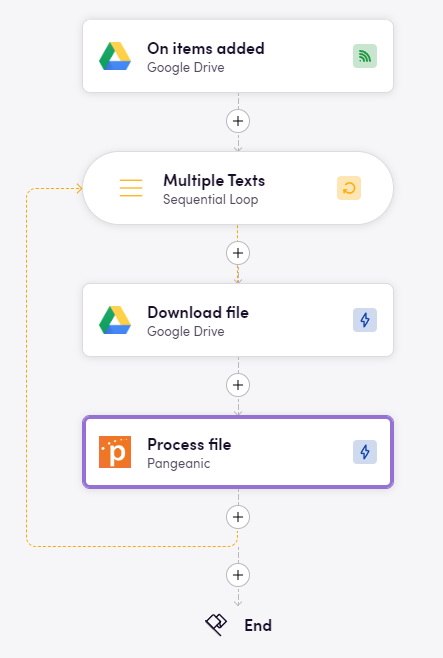
- First bird:
- Second bird:
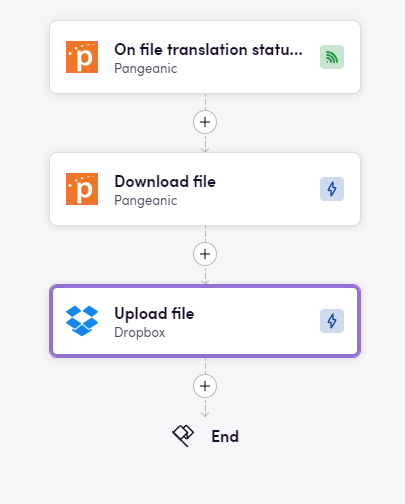
In short, these birds allow you to upload files to Google Drive, translate them using Pangeanic, and once the file is translated, upload it to wherever you want (in this case, Dropbox).
Also, note that to use the Pangeanic ‘On file translation status updated’ event, you should publish it and then copy the ‘Webhook URL’:
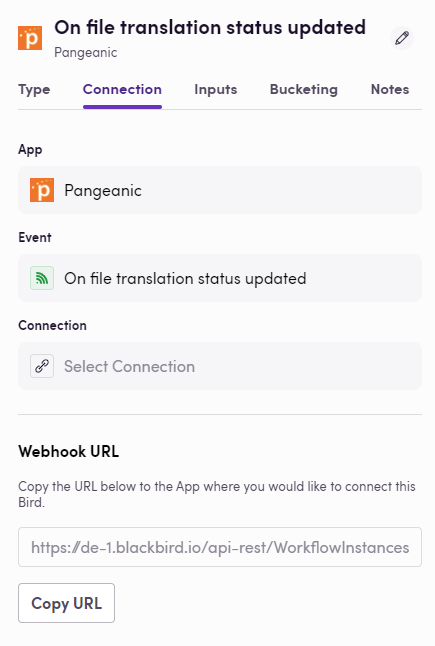
Paste this URL into the ‘Callback URL’ optional input of the ‘Process file’ action:
Feedback
Section titled “Feedback”Do you want to use this app or do you have feedback on our implementation? Reach out to us using the established channels or create an issue.